
Royal Victoria Marathon / Thanksgiving Long Weekend Edition
🎙️ Show airs live
Saturday: 10:05am-Noon PT
on C-FAX 1070 in Victoria and
on CKFR AM 1150 in Kelowna
🔁 Rebroadcast
Sunday: 1:05pm-3pm PT
on C-FAX 1070
🎧 Podcast
Anytime
anywhere you get your podcasts
Your crew this weekend:


Charles Martin
Guest Co-host
Victoria Mac and iOS Users Group Program Director and London Drugs In-Home Tech
Phone +1-888-718-4598

Join Charles, Aitan, and me for the October VMUG meeting, on Zoom, at 7pm this Wednesday, October 14th. If you're not a VMUG member, you can take part as our guest at this link…

The Podcast
Listen now: (podcast will appear here once its been uploaded)
Or, you can subscribe to "Tech Talk with Alan Perry" (it's free) on any podcast app including these…
1) Watch out for a new round of scam Canada Post "package can't be delivered" texts
The texts, as shown in the screenshot captured by Kyle, claim to be coming from a 1-833 toll-free number.

If you click on the link in the text, it takes you to a fake Canada Post page complete with a fake tracking number. You're asked to confirm your name and address and if you do (no matter what address you give them), you'll be asked to provide your credit card info to pay the supposed $3.07 'border fee'…


If you give them your credit card info, within minutes, the scammers will be making purchases on your card, and before long, your card will be maxed-out or locked, and your bank will have to cancel it and issue you a new one.
NEVER respond to texts like this! Among the clues that it's a scam are the fact that these texts will never be addressed to you by name, and they'll never say what the package is or who it's from. If you're expecting a package, use the tracking number supplied by the online merchant to see where your package is.
Tech Deals This Weekend
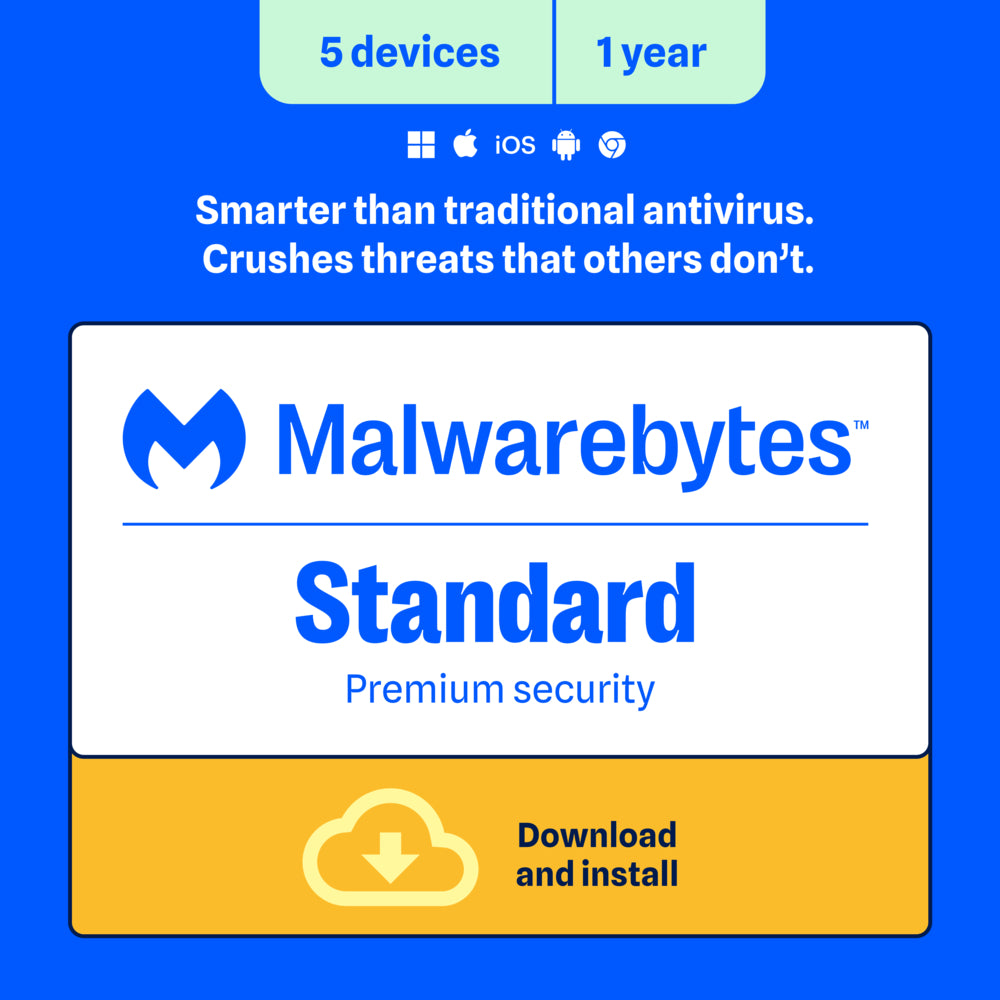
Malwarebytes Standard anti-malware protection for five devices for one year: $55 (save $25) digital download at Staples.ca
If you have multiple devices (any combination of Windows, Mac and Android — NOT needed for iPhones or iPads), this one-year licence is ideal.
You can also share the licence with others if you have fewer than five devices yourself.


StaplesCanada
Malwarebytes Standard Premium Security for Windows, MacOS, Android, iOS, Chrome - 5 Devices - 1 Year Subscription [Digital Download]
Malwarebytes Standard delivers Premium security and protects against malware, including viruses, ransomware, and spyware, without slowing you down. It removes any existing infections and proactively prevents future ones. It also defends against phishing scams, fake or malicious websites, infected ads, credit card skimmers and credential stealers. Expand your protection to your other devices- computers, smartphones, or tablets.
For a limited time, Freedom Mobile is offering 35GB/month for $35 or 95GB/month for $40 when you buy a new phone…

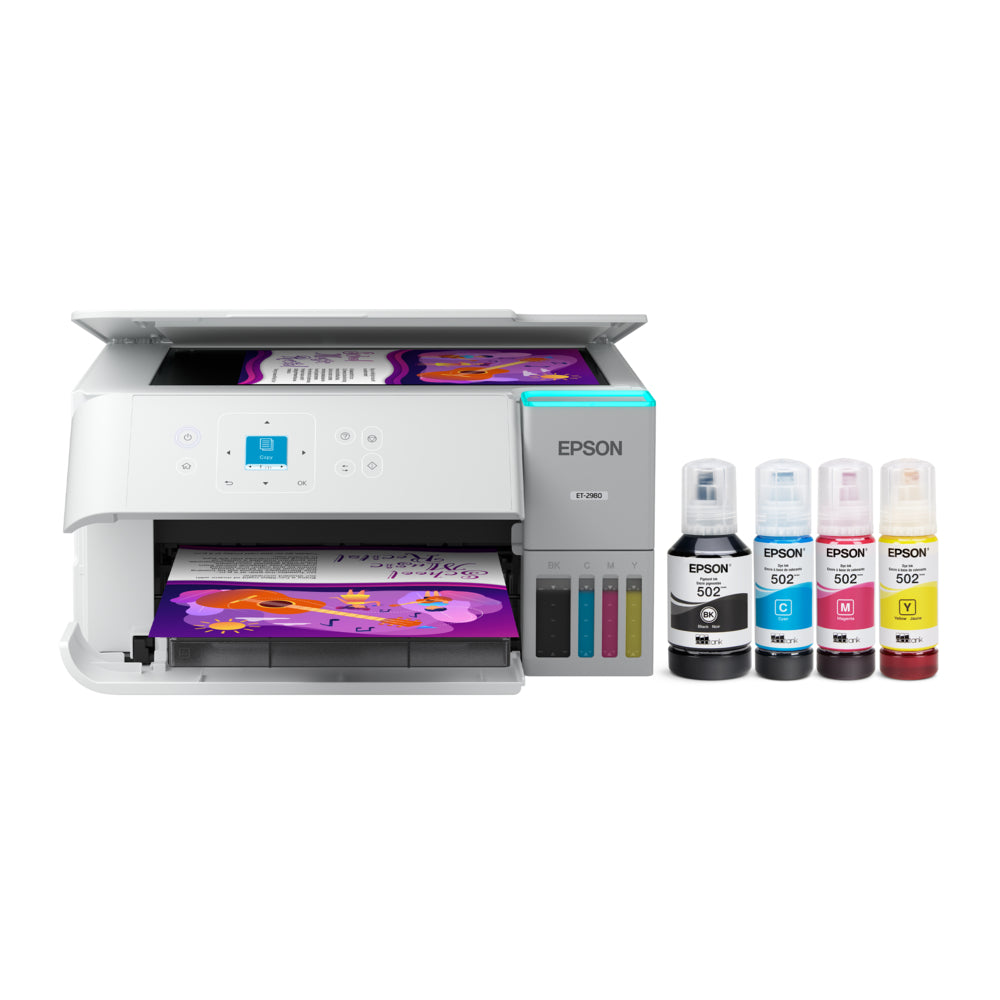
Epson ET-2980 EcoTank all-in-one printer/copier/scanner: $330 (save $70) this long weekend at Staples stores and online

StaplesCanada
Epson EcoTank ET-2980 Wireless All-in-One Colour Supertank Printer - White
Introducing the EcoTank ET-2980—The Perfect Family Printer. Say goodbye to expensive cartridges with the Epson EcoTank ET-2980. Combining simplicity with a modern design, the ET-2980 features advanced technology that enhances both performance and print quality, making it an ideal choice for everyday family printing - including content created by AI. Powered by PrecisionCore Heat-Free technology, the ET-2980 delivers print speeds 50% faster than its predecessor. And unlike conventional thermal in
Tech News Of The Week
Items start at #10, so the numbers don't get thrown-off if we add more security items above!
Tip: if an item in these Show Notes has the icon on the right in the upper-right corner, you can click/tap on it to make the additional info open in a new tab.


11) Here are the best new features for iPad users in iPadOS 27
Apple's new iPadOS 27.0.1 can be installed as a free upgrade on these iPads:
- iPad Pro (4th generation and later, M1 and later)
- iPad Air (4th generation and later, M2 and later)
- iPad (9th generation and later, A16)
- iPad mini (6th generation, A17 Pro)
Here are the best new features in iPadOS 27.0.1…

12) If you have a Mac, here are the best new features in macOS 27 Golden Gate
Apple's powerful new macOS 27 operating system is a free upgrade for these devices:
- MacBook Neo (2026)
- MacBook Air with Apple silicon (2020 and later)
- MacBook Pro with Apple silicon (2020 and later)
- iMac with Apple silicon (2021 and later)
- Mac mini with Apple silicon (2020 and later)
- Mac Studio (2022 and later)
- Mac Pro with Apple silicon (2023)
Here are the best new features in macOS Golden Gate 27.0.1…

13) NextFerry.ca is a free new Victoria-built website that shows you which upcoming BC Ferries sailings still have room
NextFerry.ca is a free web app that uses ferry capacity data to show us which sailings still have room, how quickly they're filling up, and when a sailing may be close to reaching capacity. Here are three screenshots which I captured this morning…


This tool was created by Neil Tran, founder and creative director of Victoria-based digital studio Leap.
Rather than simply displaying available deck space, Next Ferry tracks how a sailing is filling over time and presents that info in a more straightforward way to help us decide when to leave home.
For example, the app can show that a sailing is 85% full, how much that number has increased recently, and an estimate of when it could reach capacity.
You can also select a sailing and receive an alert when its available vehicle space drops below a certain point.
The service works through a web browser on phones and computers, meaning there is nothing to download and no account is required.
If you ride the ferries often you can also add the site to your phone’s home screen and use it more like a traditional app, including receiving alerts.
According to the developers, sailing information is refreshed every minute using data from the community-run BC Ferries API.


Heads-up: Malwarebytes users will likely find it blocks this website as being Riskware, but it's perfectly safe. If you get the blocking page, click on "Do not block this page", and then on "Go to this website". You may have to retype the NextFerry.ca web address to get it to appear. Neil says he's reported the false flagging to Malwarebytes so this issue will hopefully be fixed soon.
14) Amazon has unveiled Alexa tablets to compete with iPads and other Android tablets

Amazon has replaced its Fire tablets with three new Alexa Tablets all with Alexa+ built-in, and full access to the Google Play Store.
They start at $300 CAD.
They come in three models ranging from 8" to 12" — Amazon Alexa Tablet 12 Pro, Amazon Alexa Tablet 11, and Amazon Alexa Tablet 8.
The biggest change is software. Amazon’s Fire tablets have used Fire OS and Amazon’s own Appstore since 2011. These new tablets run Android with Google Play, so apps such as YouTube, Netflix, Gmail and Google Docs can be installed directly.
Amazon Alexa Tablet 8
The most inexpensive model is the Alexa Tablet 8, which is the most portable model, with an 8.7" display, aluminum body and weight of 329g, and is just 8mm thin. It has an 8-core processor, Wi-Fi 6 and up to 14 hours of video playback. Colour options include Graphite, Rosette and Teal.
Canadian pricing is $300 with 64GB of storage or $360 with 128GB.
Amazon Alexa Tablet 11
The Alexa Tablet 11 is aimed more at entertainment, with an 11" 2.5K display, 276 PPI, a 90Hz refresh rate and 16:10 aspect ratio.
It runs on an 8-core processor with 8GB of RAM, includes dual Dolby Atmos speakers and offers up to 15 hours of video playback. It comes in Graphite, Amethyst, and Matcha.
Pricing here in Canada is $450 with 64GB of storage or $530 with 128GB.
Amazon Alexa Tablet 12 Pro
The flagship Alexa Tablet 12 Pro has a 12" display with 280 PPI, a 120Hz refresh rate and 3:2 aspect ratio. It uses a 6.5mm aluminum body, quad Dolby Atmos speakers and Wi-Fi 6E.
Inside is a 4nm 8-core processor with up to 16GB of RAM. Amazon says it delivers nearly three times faster processing and nine times faster graphics than any tablet it has shipped before, with up to 16 hours of video playback.
Canadian pricing is $750 with 8GB of RAM and 128GB of storage, or $800 for the Nanomatte version, which uses etched glass to cut glare without heavily reducing colour or contrast.
Preorders for all three models are open now on Amazon.ca, with shipping starting Wednesday, October 14, 2026.


15) Microsoft has unveiled its powerful new Surface Laptop Ultra
In an effort to compete with Apple's forthcoming new M6 Macbook Pro's, Microsoft has just released its most powerful Surface laptop ever — the Surface Laptop Ultra — which is built for local AI and 3D graphics, and powered by the NVIDIA RTX Spark Superchip.
The NVIDIA RTX Spark Superchip combines NVIDIA AI, Blackwell RTX graphics, up to 20-core NVIDIA Grace CPU, and up to 128 GB of unified memory to deliver serious performance without sacrificing portability.
Microsoft says it renders video up to 6x faster than a MacBook Pro M5 Pro, and generates AI images up to 4x faster. It's also lighter, has magnetic USB-C charging and loses only 1% of its performance when used on battery.
Surface Laptop Ultra
- 15" mini‑LED touchscreen, 3:2 aspect ratio, up to 2,000 nits peak HDR.
- Touch support (but no pen input).
- Slightly lighter than the 16" MacBook Pro.
MacBook Pro M5
- 14.2" or 16.2" Liquid Retina XDR, 1,600 nits peak HDR, 1,000 nits sustained.
- No touchscreen.
- More compact and lighter in the 14" model.
As you might expect, Microsoft's new Surface Laptop Ultra is not cheap, but compared to a MacBook Pro M5 Pro, you get a more powerful machine for less money…
Here in Canada, the Surface Laptop Ultra ranges from $3,900 to $8,500 CAD, while the MacBook Pro M5 ranges from $4,000 to $15,000 CAD, depending on configuration.


16) Ring has unveiled the first truly keyless smartlock, along with new doorbell cameras and a pan-and-tilt home camera

16a) Ring Smart Lock
Meet Ring's first smart lock. Control entry from anywhere with many ways to unlock — and if the battery ever dies, the Backup Power Dial makes sure you're never locked out.
- Power when you need it — Dead battery? Just twist the Backup Power Dial until the keypad turns on and enter your PIN.
- Multiple ways to unlock — Easily unlock by fingerprint, PIN, Ring app, or Alexa.
- Better with Ring devices — Control your lock, cameras, doorbells, and more all in one app. Unlock during Live View and track every entry in your Event History.
- Easy battery setup — No wiring, no locksmith. Install in a few minutes with a long-lasting, rechargeable Quick Release Ultra Battery Pack.
The Ring Smart Lock will be $349 CAD when it becomes available later this fall.


16b) Ring 4K and 2K Video Doorbells
Ring is raising the bar for smart home securitywith the launch of its first-ever battery-powered 4K video doorbell, alongside a full lineup of new 2K doorbells and solar-powered accessories. Designed for flexibility, performance, and ease of installation, the new lineup gives more options than ever — whether you want a premium wired setup or a simple, wire-free solution.

Starting at just $115 CAD, Ring’s updated doorbells deliver sharper video, improved zoom, AI-powered insights, and smarter power management, making them a compelling upgrade for anyone looking to enhance front-door security.
Battery Doorbell 4K Pro — $350 CAD
Ring’s most advanced battery-powered doorbell, completely redesigned with cutting-edge clarity and security features.
- Retinal 4K with up to 10x Enhanced Zoom — Capture wide-angle, head-to-toe video even at a distance.
- Night Vision — Stay in color longer with Night Vision, and automatically switch to crisp black and white in total darkness.
- Live View & Two-Way Talk with Audio+ — See, hear, and speak to who’s there in real time with enhanced sound quality.
- 3D Motion Detection —Receive more precise alerts with radar-powered motion detection.
- Quick Release Ultra Battery Pack — Mount anywhere around home with Ring’s best, fastest-charging battery.
Wired Doorbell 4K Pro — $350 CAD
- Same features, but hard-wired
Wired Doorbell 2K — $115 CAD
Get all the front door security essentials you need with Ring's most affordable wired doorbell, newly reimagined.
- Retinal 2K with up to 6x Enhanced Zoom — From wide views to tighter focus, clarity stays intact with every pinch and zoom.
- Live View & Two-Way Talk — See, hear, and speak in real time.
- Motion Detection — Receive real-time alerts on your phone when motion is detected.
- Hardwired Power — Make security convenient and constant when you connect right into the same electricity that powers your home.
Wireless Doorbell 2K — $140 CAD
- same features, but with a built-in battery — insert the included removal tool to detach your doorbell from the wall, then recharge via a USB-C charging port.

16c) Pan-&-Tilt home camera — $99 CAD
- 2K with up to 6x Enhanced Zoom — Catch detail even at a distance in 2K Video.
- 360° Coverage — Pan across the room, tilt up or down, and cover every corner — all from the Ring app.
- Auto Tracking — Automatically keeps people centered in frame as they move through the room.
- Motion Detection — Receive real-time alerts on your phone when motion is detected.
- Live View & Two-Way Talk — See, hear, and speak to who’s there in real time.
- Built-In Privacy Shutter — A single slide physically disables camera and microphone at once. You'll hear and see it shut.

17) Apple will be unveiling three new Home products on Tuesday

Apple has sent out invites for a "Welcome Home" event in Tribeca, New York at 6AM PT this coming Tuesday, October 13, where we expect the release of three new devices: a new smart home hub with a screen (perhaps dubbed the Apple Home Hub), a new HomePod Mini, and a new Apple TV 4K, all featuring Siri AI.
The home hub is an all-new device that's like a cross between an iPad and a HomePod. It's rumoured to have a 6" square display, and it's designed as a multi-person device to control smart home products, place FaceTime calls, watch videos, get news and weather infoM6, stay up to date on calendar events, and more. It'll integrate with Siri AI, and voice will be the main method of interaction.
Apple envisions people installing a hub in multiple rooms in the house. There'll be a version meant to be mounted on the wall and a version with a half-dome speaker base, similar in design to the iMac G4. A camera and a presence sensor will detect when a person is in the room, and the device will be able to tell who it is to show a customized interface with widgets and apps. Pricing is expected to be about $600 CAD.
The HomePod mini is going to get new colours, an N1 networking chip for improved Wi-Fi and Bluetooth, and a faster S-series processor that will support Siri AI.
The new Apple TV 4K model will have an A19 or A19 Pro chip, a RAM upgrade, the same N1 chip as the HomePod mini, and an upgraded Siri Remote. PLans for it to have a FaceTime camera were apparently shelved for now, not because the technology was lacking, but because Apple sensed people might be turned-off by the idea of a video-camera in their living-room.


MacRumors
Apple Product Launch Announced for October 13: 'Welcome Home'
Apple today announced an upcoming product launch that will take place on Tuesday, October 13. We are expecting Apple's announcement to focus on new smart home products, including the long-rumored smart home hub, a new Apple TV 4K, and a refreshed HomePod mini. Subscribe to the MacRumors YouTube channel for more videos. The home hub is an all-new device that's like a cross between an iPad and a HomePod.
According to a report from Bloomberg, Apple will announce a touchscreen MacBook Pro M6 and the iPad mini with OLED on October 27.
Apple is also expected to reveal a 14" MacBook Pro with M6 processor. It's the new base model after Apple retired the 13" MacBook Pro previously.
An M6 iMac update is also possible alongside these long-rumoured products.
18) Microsoft 365 Family subscribers will soon have way less OneDrive storage, and many are not happy
Per an email that went out to Microsoft 365 Family customers, the company is changing OneDrive cloud storage allowances from the current 1TB per person to 2TB of shared storage:
“More flexible cloud storage: Your cloud storage allowance will change from 1 TB per person to 2 TB of shared storage so everyone on the plan can use the free space while keeping their own accounts and files private.”
But while Microsoft’s cheery language frames the change as a benefit, the reality is it’s a huge cut to cloud storage. Under the old system, Microsoft 365 subscribers on the Family or Premium plan tiers got 1TB per person. That means if you have all six spots on the plan full, that’s a total of 6TB of cloud storage.
Under the new change, all six people instead have to share 2TB. Split evenly between six users, that’s only about 333GB each. Microsoft 365 Personal subscribers will contune to get 1TB of OneDrive storage.
While Family storage quotas are going to be shared, files remain private. Each member can access only their own files unless they explicitly share content with others. Shared storage changes how storage is allocated across the subscription, not who can see your files.
If you're a Microsoft 365 Family subscriber, here are some key FAQ answers from Microsoft…
What happens if my family uses more than the storage quota?
You don't immediately lose access to your files. If your subscription approaches the 2 TB limit, you'll receive notifications so that you can plan ahead. You can free up space, purchase additional storage, upgrade your subscription, or take other steps to avoid disruption. If your subscription exceeds the limit, you can continue to access your files for up to one year while you manage your storage.
Can I buy more storage?
Yes. You can add storage to your subscription, up to a total of 10 TB, to give everyone more OneDrive storage. Extra storage is $2/month for an extra 200GB, or $10/month CAD per extra 1TB.
What if I already use a lot of storage?
If you use a large amount of storage, you'll receive advance notice and transition support. Additional storage options might be available depending on your eligibility.
Is this change a reduction in storage?
Total storage varies by plan, but the shared storage model gives you more flexibility in how you use storage across the subscription. Instead of dividing storage into fixed per-person allocations, those who need it most can use the available storage. For example, if the subscription owner doesn't share the plan, they can use the full shared storage allotment. Similarly, if one member needs significantly more storage than others, they can use more of the shared pool without being limited by an individual allocation.
Thankfully, the change isn’t happening right away; Microsoft says the new storage model goes into effect on May 2, 2027, and will apply to existing subscribers on their first renewal after that date. As you might expect, social media feeds are full of people who are outraged by the change, so we'll see if Microsoft has a change-of-heart between now and then.
Why is Microsoft doing this? it's likely because of the rapidly rising cost of storage resulting from the storage demands of all the new AI data centres.

19) Rogers, Telus, and Bell have hiked their mobile rates again, while also scrapping their budget brands' cheapest plans
Rogers, Telus, and Bell have all quietly increased prices on their non-contract wireless plans by $5 per month.
Analysts think this is positioning so they can then offer 'lower' prices during the competitive Black Friday week at the end of next month, without actually taking a bigger revenue hit.
Meanwhile, Rogers-owned Chatr and Bell-owned Lucky Mobile have scrapped their cheaper prepaid plans.
Chatr has replaced its $21/1GB plan with a $22 talk-and-text plan that includes 500MB with auto-pay. Without automatic payments, there’s no data included. That’s $1 more per month for half the data. The change comes days after Chatr removed its limited-time $19/500MB plan.
Bell-owned Virgin Plus has dropped its $45/20GB plan, leaving $50/60GB as its cheapest non-Basic data option for new customers.
Virgin Plus has also raised its talk-&-text plan from $25 to $30. Its $55/60GB Canada/USA/Mexico plan stays at the same price, but now includes unlimited international calls to 27 countries.


iPhone in Canada | Canada’s source for Apple, telecom, tech news, and deals
Rogers and Telus Raise Wireless Prices by $5, Following Bell’s Lead | iPhone in Canada
Rogers and Telus have quietly increased prices on their wireless plans by $5 per month, following similar increases from Bell earlier this week. All three of Canada's biggest carriers have now raised prices just ahead of Black Friday next month. According to checks by iPhone in Canada on Friday, Rogers and Telus have increased prices

iPhone in Canada | Canada’s source for Apple, telecom, tech news, and deals
Chatr and Lucky Mobile Axe $19 Plans, Leaving Fewer Cheap Options | iPhone in Canada
Rogers-owned Chatr and Bell-owned Lucky Mobile are removing cheaper prepaid plans this week, leaving Canadians with fewer options under $25 per month. Chatr has replaced its $21/1GB plan with a $22 talk-and-text plan that includes 500MB with auto-pay. Without automatic payments, there’s no data included. That’s $1 more per month for half the data. The
Quebec-based Freedom Mobile continues to have the best budget plans…


20) If your iPhone is acting-up, you can use Apple's hidden diagnostics tools to try to identify and fix the problem
If your iPhone is not behaving properly, you can use the free Apple Support app to connect with a real person at Apple, and they can remotely trigger diagnostic tests to try to identify the problem.
But, we've discovered you can actually run those tests yourself!
Here are the instructions on how to access the hidden Apple Diagnostic Toolkit…
- Power off your iPhone
- Press and hold both the Volume Up and Volume Down buttons at the same time, and while doing that, with your other hand, plug a charge cable into your iPhone, and keep holdimg down both Volume buttons until an Apple logo appears. Let go of the buttons and wait!
- After a bit, the Apple Diagnostic Mode screen will appear…
- Tap Continue and choose a Wi-Fi network
- It'll then connect to Apple Support, and then to a Diagnostics and Repair server
- Agree, and then tap on Run Diagnostics


- You can now scroll down and choose from various diagnostic tests: Mobile Resource Inspector, Audio for Self-Service Repair, Display Anomalies, Multi-Touch Issues, Face ID Issues, and Camera Image Quality.
- Each test you choose will take a minute or two to complete, and will then present you with the results, and options on how to fix a problem, or to get it fixed.
22) They've built a working replica of the world's first “supercomputer” using thirty 14-year old Macs!

The Museo de Historia de la Computación in Spain has unveiled a 1:1 scale visual replica of the famous Cray-1 supercomputer from 1976.
But, instead of sourcing expensive, cutting-edge tech to run the system, the creative team powered the project with 30 2012-era Mac Mini's! Developed over 18 months, the project serves as a 50th-anniversary tribute to the Cray-1 and Apple’s founding.
Now, Mac Minis from over a decade ago might not seem like the obvious first choice for building a cluster supercomputer, but when networked together, the developers can orchestrate the 64 active processing cores into a combined 1.3 teraflops of performance in their most recent tests.
Rather than opting for a more standard Linux distribution, the team found that macOS Mojave (10.14) met their project needs by harnessing macOS’s built-in support for MPI (Message Passing Interface), the software layer that allows all the nodes in the cluster to pass tasks to one another.


23) How to import your passwords into Apple Passwords app
Apple Passwords is a secure and safe alternative for those seeking to escape 1Password's latest price hike. Here's what you need to know.
If you use a password manager already, the first step you'll need to take is downloading your password list from whatever service you use. You'll also need to make sure you download the list as a .csv file, a Comma-Separated Values one.
Once you have the .csv file from your password manager, you only have a few more steps to take.
- Open Apple Passwords. (the icon is three coloured keys on a black background)
- In the Menu Bar, click File.
- Under File, click Import Passwords
- Click Choose File.
- Select the .csv file you downloaded from your password manager.

It's also worth noting that not every password you have will import correctly. You may find some crop up without an email or username attached, so keep your old password manager around for at least a few months in case you have to go back to it.
If you own a Mac, any passwords you enter into the Passwords app will automatically sync to your iPhone or iPad if you have them, meaning you only have to do this once. Apple's Passwords app can also alert you if you are re-using passwords, help you generate extra-strong passwords, or if one or more of your passwords has been compromised via a data leak, it can help you replace those passwords directly on the sites where you use them.
24) OpenAI has released its new Dots agentic AI assistants
OpenAI, the San Francisco-based company behind ChatGPT, is now letting you use Dots, which are proactive AI assistants that are remarkably capable, always-on agents built to handle everything.
The company says Dots are a whole new way to work with AI — one that gets to know what matters to you, is always working on your behalf, and takes important work off your plate so you get more of your time and attention back.
Unlike ChatGPT, Dots are meant to operate independent of any specific hardware or interface, pursuing user-defined goals continuously in the background with minimal oversight.
OpenAI envisions a variety of ways Dots could be put to work. In one scenario, a software developer deploys a dedicated dot to monitor customer feedback, implementing bug fixes and requested features as necessary. In another, a scientist employs a dot to rerun analysis and investigate unexpected results as experimental data becomes available.
Users can message Dots through Slack, Teams, and other organizational platforms, with text message support coming soon.



27) We're compiling a list of our favourite phone apps
The "Our Favourite Apps" list — which will have a lot more added in the coming weeks — is on our home page, and you can also get to it by going to Tech-Talk.ca/apps.

…and finally, our "Sign Of The Week"…
Good news: Macs now support Windows!

And so it goes…
Oct. 10 & 11, 2026 Show Notes